
Cash App is more than just a peer-to-peer payment app—it also gives users the option to receive paychecks, government benefits, and other deposits directly into their Cash App balance. With Direct Deposit, your funds are automatically transferred to your Cash App account, saving you time and hassle.
Direct Deposit is a feature that lets you receive money directly into your Cash App balance from your employer, benefits provider, or other sources. Once set up, the money is instantly available for use with your Cash Card, transfers, or payments.
Faster access to money – sometimes up to 2 days earlier than traditional banks.
No fees – Cash App does not charge to receive direct deposits.
Instant use – funds can be spent immediately using your Cash Card.
Flexibility – use your balance for bills, transfers, or Bitcoin purchases.
Launch the app and log in to your account.
Tap the Banking/Money icon at the bottom of the screen.
Tap Direct Deposit → Copy your account and routing number.
(Note: You usually need to activate your Cash Card first to access these numbers.)
Log into your payroll portal or contact HR.
Enter the Cash App account and routing number.
Select Checking account as the account type.
Can’t see account numbers? → Make sure your Cash Card is activated.
Deposit not received? → Confirm details with your employer and check processing times.
Name mismatch? → Ensure the name on your Cash App matches payroll records.
Setting up Direct Deposit on Cash App is a simple way to receive paychecks and benefits faster and without fees. By enabling this feature, you’ll enjoy quick access to your funds and the flexibility to spend or transfer them instantly.

jhon san
9 posts
-
 Share your views on SpaceX’s stock market debut
Americans’ financial futures are about to tied to the fortunes of Elon Musk with the world’s largest ever stock market debut. How do you feel about this?
-
 SpaceX to list on US stock market at $1.77tn valuation in largest ever debut
IPO for Elon Musk’s company comes in what is predicted to be a banner year for public offerings of AI companies
-
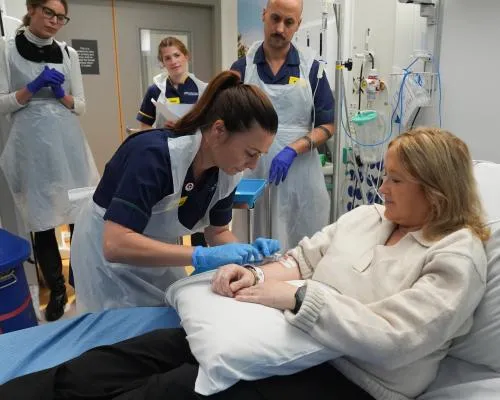 Lupus patients in England in remission after pioneering NHS trial of GM therapy
Doctors say therapy that genetically modifies person’s T-cells could offer cure for chronic autoimmune disease
-
 Subterranean fungi networks more than 100 quadrillion km in length, study finds
First ever global mapping of arbuscular mycorrhizal fungi shows scale of hyphal systems that sustain plant life
-
 Scientists reveal surprising mechanism behind Venus flytrap’s rapid snap
Intricate tests show hair-trigger detection causes cells on outer surface of leaf to soften, prompting closure
-
 SpaceX heads for record $1.78tn float amid fears it is overvalued
Analysts say IPO that could make Elon Musk the world’s first trillionaire has a ‘major disconnect’ on price
-
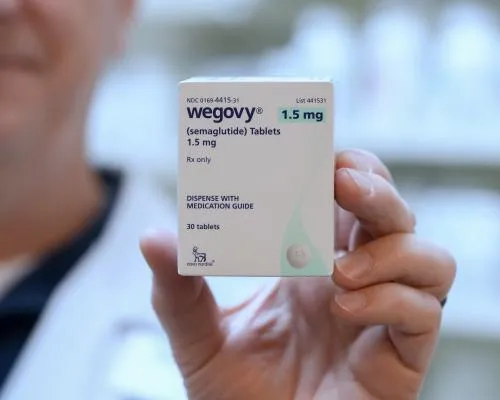 Wegovy weight-loss pills to be available for patients in UK to buy
Regulator approval means patients who meet criteria will be able to purchase tablets with private prescription
-
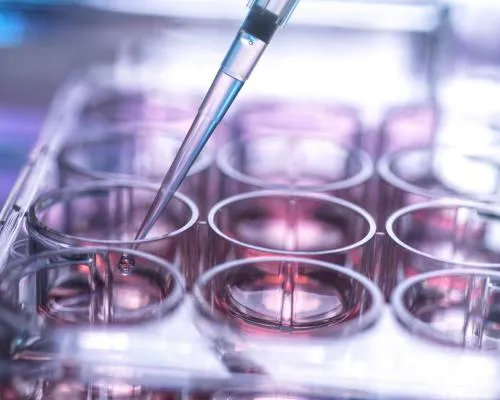 UK’s stem cell transplant system may be putting lives at risk, report by MPs finds
System not fit for purpose due to poor infrastructure and planning, with minority groups particularly at risk, MPs say
-
 Humans prefer to walk anticlockwise, scientists find – but reason is unclear
From Spain to Japan, experiments have repeatedly shown a left-turn bias, but exact mechanic ‘is still an open question’
-
 ‘Earth’s first starfleet’: Nasa reveals Artemis III crew and project’s next steps
Luca Parmitano to pilot all-male crew of four paving way for planned first human landing on Artemis IV in 2028
-
 Challenges of treating and living with a brain injury
Letters: Readers respond to an article by Ian Sample on how early intensive rehabilitation after a stroke or head injury is crucial for recovery


