You've spent countless hours perfecting your company logo - the colors, the shapes, the perfect curve of the lettering. Now you want to see it stitched onto hats, polos, and jackets with the same crisp perfection as it appears on your business cards. But when you try to convert that digital file into embroidery, suddenly your sleek logo looks like a pixelated mess. What went wrong?
The truth is, digitizing logo for embroidery isn't as simple as clicking "save as" in a different file format. It's an art form that requires understanding how thread interacts with fabric, how machines interpret designs, and how to translate flat graphics into dimensional stitches. But don't worry - with these insider techniques, you'll be creating embroidery-ready logo files that stitch out perfectly every time.
Why Your Logo Needs Special Treatment
That beautiful vector file that looks razor-sharp on screen contains information that embroidery machines simply can't use. Unlike printers that lay down ink in smooth gradients, embroidery machines build up designs with thousands of individual stitches. Each one needs to be precisely placed to recreate your logo faithfully.
Common problems when digitizing logos include:
- Text becoming illegible when stitched small
- Fine details disappearing or filling in
- Colors bleeding together without proper separation
- Distortion on certain fabric types
- Stitches that snag or break during production
Professional digitizers have spent years learning how to avoid these issues. But you can achieve great results too by following some fundamental principles.
Start With the Right File Format
Before you even open your digitizing software, you need the best possible starting point. Vector files (AI, EPS, SVG) give you clean lines that can be scaled infinitely without quality loss. If you only have a raster image (JPG, PNG), use graphic software to:
- Increase the resolution to at least 300dpi
- Convert to black and white to check clarity
- Simplify complex gradients into solid color blocks
- Remove any background elements
Choosing Your Digitizing Approach
There are three main ways to convert your logo for embroidery:
Auto-digitizing software works for very simple logos but often requires manual cleanup. Programs like SewArt or Embrilliance can get you started.
Manual digitizing software gives you complete control but has a steeper learning curve. Wilcom and PulseID are industry standards.
Professional digitizing services handle all the technical work for you. Services like The Digitizing Boutique or Absolute Digitizing specialize in logo conversion.
For most businesses, starting with a professional service for your primary logo makes sense, while learning basic digitizing skills for simpler secondary designs.
The Golden Rules of Logo Digitization
- Simplify, then simplify again - Remove tiny details that won't stitch well. That delicate 1pt rule around your icon? It's disappearing in thread form.
- Mind your minimums - Text should be at least 1/4" tall (6mm), lines no thinner than 1.2mm. Anything smaller risks becoming unreadable.
- Separate your colors - Leave at least 1mm between color sections to prevent bleeding. Overlap slightly where colors meet.
- Choose stitches wisely - Use satin stitches for text and borders, fill stitches for larger areas. Avoid mixing types unnecessarily.
- Consider your fabric - A logo for stiff caps needs different settings than one for stretchy polos. Always specify your end use.
Step-by-Step Logo Digitizing Process
- Import and clean - Bring your vector file into digitizing software. Remove any unnecessary anchor points.
- Set your size - Digitize at the exact size the logo will be stitched. Never scale after digitizing.
- Outline elements - Trace each distinct color area separately. Pay special attention to text characters.
- Assign stitch types - Use satin stitches for text and thin elements, fill stitches for larger areas.
- Set stitch direction - Generally follow the natural flow of the design. Change angles for visual interest.
- Add underlay - Start with zigzag underlay for stability. More complex logos may need multiple layers.
- Adjust density - 0.4mm spacing works for most fabrics. Go denser for stretchy materials.
- Set pull compensation - Add 10-15% extra width to account for fabric tension during stitching.
- Optimize trims - Minimize thread changes by grouping color sections intelligently.
- Test stitch - Always sew out a sample before finalizing. Check for any needed adjustments.
Pro Tips for Specific Logo Elements
Text Treatment
- Simplify complex fonts - remove serifs if smaller than 1/2"
- Increase letter spacing slightly compared to print versions
- Use satin stitches for text under 1" tall, fill stitches for larger text
Icon Details
- Bolden thin lines to at least 1.2mm
- Separate close elements that might merge when stitched
- Consider slightly exaggerating distinctive features
Color Transitions
- Add a slight overlap (0.3mm) between color sections
- Use underlay to prevent fabric show-through
- Consider trapunto (raised) effects for important elements
Common Logo Digitizing Mistakes
- Using auto-digitize and calling it done - Always requires manual tweaking
- Ignoring fabric characteristics - The same file won't work on denim and fleece
- Overcomplicating small details - Simplify, simplify, simplify
- Not testing on actual garments - How it looks on screen isn't how it stitches
- Forgetting about production realities - Overly complex logos cost more to stitch
When to Call in the Professionals
While DIY digitizing works for simple designs, consider professional help when your logo has:
- Photorealistic elements
- More than 6 thread colors
- Extremely fine details
- Specialty effects like 3D puff
- Legal reproduction requirements
Many digitizing services offer quick turnaround (24-48 hours) and affordable rates ($15-$50 per logo). The investment often pays for itself in saved materials and frustration.
Maintaining Consistency Across Applications
Your embroidered logo should be instantly recognizable alongside your printed materials. Work with your digitizer to:
- Match Pantone colors as closely as possible with thread
- Maintain proportional relationships between elements
- Ensure distinctive features remain clear in stitch form
- Create style guides for different size applications
The Final Stitch
Digitizing logos for embroidery doesn't have to be mysterious or frustrating. By understanding how stitches build up to create your design, making smart simplifications, and following proven digitizing principles, you can achieve professional-looking results.
Remember that embroidery is its own medium with unique requirements and opportunities. What gets lost in translation from print often gets replaced by beautiful textural effects only thread can create. With practice (and maybe some professional help for your primary logo), you'll be creating stunning embroidered branding that does justice to all the thought you put into your visual identity.
Now grab your logo files, fire up your digitizing software, and start creating embroidery files that will make your brand look absolutely stitch-perfect.

Emily Jones
1 posts
-
 Trapstar London Clothinng Store
Seasonal Streetwear Guide: How to Style Trapstar London All Year Round
-
 The Design Evolution of Chrome Hearts Through the Years
Trace the design evolution of Chrome Hearts through the years, from handcrafted biker jewelry to a globally recognized luxury fashion label.
-
 Turkin puolustusteollisuuden nopea kasvu – mahdollisuus vai huolenaihe?
Turkin puolustusteollisuus on viime vuosina kasvanut nopeasti sekä tuotannon, teknologian että viennin osalta, mikä on nostanut maan merkittäväksi toimijaksi kansainvälisillä markkinoilla.
-
 Why Drew Clothing and Drew House Are Trending with Drew Justin Bieber Fans
Drew House, inspired by the relaxed fashion culture surrounding Justin Drew Bieber, has become one of the most recognized names in modern streetwear. More
-
 Protect London | Protect LDN Clothing | Shop Now
Step into the world of timeless style and bold fashion with Protect London meets sophistication. Known for its premium fabrics, edgy designs.
-
 Poser London || Poser joggers || Official Store Shop Now
Poser London delivers modern streetwear with a bold comfort.Designed for everyday wear, it blends clean style with effortless confidence.
-
 Protect London | Protect LDN Clothing | Shop Now
Step into the world of timeless style and bold fashion with Protect London meets sophistication. Known for its premium fabrics, edgy designs.
-
 Palace | Palace Skateboard | Palace Official Store | Upto 30% OFF
Palace Classic Tri-Ferg Hood: A cornerstone of streetwear. This cotton hoodie features the world-renowned Tri-Ferg logo on the chest and back.
-
What Are the Best Bras for Small Bust Sizes Comfort
Find the best bras for small bust sizes that offer comfort, light support, and a natural shape. Learn how to choose the right styles, fabrics, and fit for everyday wear to feel confident and comfortable all day long.
-
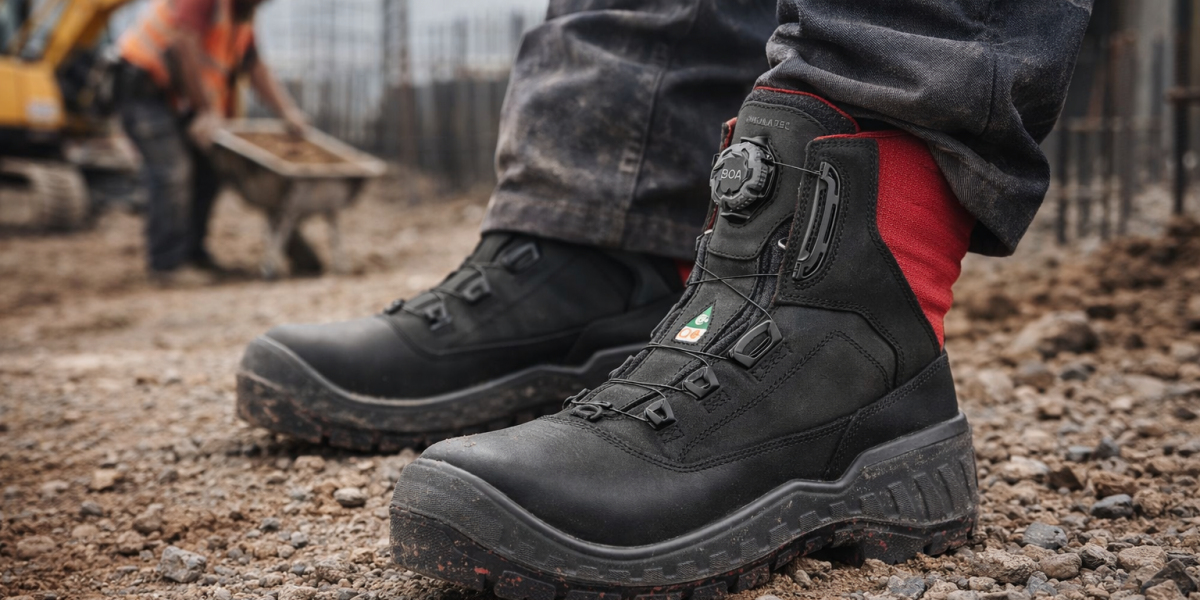 What Are the Best Waterproof Safety Boots to Buy Online in the UK
Choosing the right safety footwear is not just about protection. It directly impacts comfort, productivity and long-term foot health
-
 Detaillierte Analyse der Haltbarkeit von Sex Torso
Die Haltbarkeit von Torsopuppen lässt sich nicht einfach mit „Ja“ oder „Nein“ beantworten; vielmehr kommt es auf die richtige Pflege an. Obwohl sie nicht zerbrechlich sind, vertragen sie keine grobe Behandlung. Sorgfältige Pflege und sorgsame Nutzung sind entscheidend für ihre L