In today's world, PDF files are the default format for sharing contracts, reports, legal documents, and invoices. Convenient? Mostly! However, these files contain highly sensitive data that needs to be protected at all costs-many of them are financial numbers, personal identifiers, legal documents, etc.
For companies employing tools for PDF automation, document security cannot be done manually anymore. Instead, the best protection against intrusion is offered by advanced PDF automation tools , encryption, digital signatures, and automated redaction. With the help of a software development company or RPA agency, businesses can create PDF workflows that are smarter and more secure at the same time.
This article highlights some of the best software tools that may protect sensitive data contained in PDFs and how those tools fit into an overall automation strategy.
Why PDF Security is Business-Critical
Because of its portability and consistent formatting, the format is most suitable for sharing official documents. However, when improper security is used for a PDF document, several risks exist:
1. Unauthorized Access or Sharing: Copies of PDF files containing critical information can also be forwarded to unauthorized recipients to view the document.
2. Tampering or Content Modification: Documents without digital signatures can be edited to cause data manipulation, fraud, or reputational harm.
3. Data Leakage During Transmission: Sending of PDF files through unsecured channels (like unencrypted e-mails) allows interception of such information, rendering exposure of network information to political or private businesses.
4. Regulatory Non-Compliance: Failure to secure documents may put a company in breach of compliance requirements such as GDPR, HIPAA, or SOX, which in turn can attract heavy penalties or legal action.
5. Very High Stakes in Critical Industries: Finance, medical, and legal industries deal with very sensitive information and therefore require security. Don't Ever Win
6. Automation Without Safety Measures: The increasing popularity of PDF automation services means that security is becoming an increasingly essential factor in automated workflows, ensuring that every document generated is automatically protected.
Core Features for PDF Security
From your perspective, the software must support the following features:
- Encryption: Protect content with password- or certificate-based encryption
- Digital Signatures: Verify and ensure the integrity of documents
- Redaction Tools: Eliminate confidential information
- Access Controls: Prevent editing, printing, and copying
- Audit Trails: Track changes, views, and signatures for compliance purposes
These features are usually integrated into the most proficient automatic PDF tools and, via professional software development services , can be configured for use in large-scale projects.
Top Software Solutions to Protect PDFs
1. Adobe Acrobat Pro DC
Best for: Full-fledged Enterprise Security for PDF Documents
The market leader in PDF management. Offers Acrobat Pro DC with features such as:
- AES 256-bit encryption
- With Certificate-based signing
- Redaction with search
- Role-based access controls
- Adobe Approved Trust List (AATL) Digital Signatures Validation
The Adobe tools become part of the PDF automation solutions if departments deal with contracts, tax filings, or HR documents.
2. Foxit PDF Editor
Best For: Light but Enterprise Security
In this way, Foxit's PDF Editor provides a stripped-down nimble alternative for protecting PDFs through:
- Secure encryption protocols
- Digital signatures with time seals
- Cloud collaboration
- Redaction with batch operations
I would say Foxit is the preferred tool for a majority of RPA agencies and mid-market companies due to its speed and scalability on Windows and Mac.
3. Nitro PDF Pro
Good for: Mid-Sized Teams Needing Cloud Security
The following are the offerings of Nitro PDF Pro:
- Bank-level encryption
- Chain-of-custody audit trails
- Document signing workflows
- SharePoint and OneDrive integrations
One has got to consider it if he is a corporation looking for any PDF automation tools having collaborative cloud access and central administrative controls.
4. PDF-XChange Editor
Best for: Developers and document-heavy businesses
This program is highly customizable, recommended for tech-savvy teams, and supports:
- Document security with JavaScript
- XFA form protection
- PKI encryption
- Document integrity check
Software teams can also use the SDKs provided by the vendor to further customize the tool via software development.
5. DocuSign & Adobe Sign
Best for: Secure signing and identity validation
For documents that require verified signatures, these platforms offer:
- Identity verification by e-mail, SMS, or government ID
- Compliance with eIDAS, ESIGN, and UETA
- Audit trails and multi-signer workflows
- Integration with CRMs and HRMS
Together with PDF automation services , these platforms auto-sign and auto-send documents in robotic workflows.
6. iText & PDFLib (For Developers)
Best for: Custom automation and document security pipelines
Both libraries-iText and PDFLib-aim at developers to let them:
- Automate inserting encryptions and signatures
- Add metadata and watermarking
- Build custom redaction modules
- Integrate with RPA tools like UiPath or Power Automate
How RPA and Automation Secure PDFs at Scale
Security scales with the growth of businesses. And that is where a flexible RPA agency can develop intelligent bots to:
- Generate PDFs from forms and databases
- Encrypt or sign with automatic actions
- Redact the documents based on content classification
- Send an email or upload it securely
- Track interaction for compliance logs
In this regard, extremely large volume processing of documents is done in healthcare for patient records, banking for loan documents, and legal for client contracts.
Conclusion
The transformation into paperless operations requires a safe and well-thought-out document workflow. Sensitive information contained within PDFs must be protected by encryption, digital signatures, redaction, and access control--preferably in a fully automated setting.
By making use of modern PDF automation tools in conjunction with a trusted RPA agency or software development service , organizations will be able to avoid manual errors, fulfill compliance, and develop trust with their stakeholders. When all the right pieces are in place, the security of PDFs becomes a competitive force instead of just a shield.

Kalpana Daroch
1 posts
-
 Farmers criticise government plan to counter threats to UK food security
Plan warns climate crisis will lead to food price shocks and shortages but farmers say it fails to adequately fund response
-
 Why humidity is making UK’s record-breaking June day feel hotter
Current heatwave is very moist, making it feel worse, especially at night, than all-time high of 40.3C in July 2022
-
 UK records its hottest June day, beating highs from 1957 and 1976
Temperature of 35.7C recorded in Surrey, beating previous record of 35.6C, while France records hottest day nationally
-
 Why are Australian energy prices going up – and when will electricity bills come down?
Power prices are expected to fall from 1 July – but the savings, touted by Chris Bowen, won’t be passed on to many households and businesses
-
 ‘It’s dangerous’: how UK schools, care homes and other workplaces are coping in soaring heat
Extreme weather is affecting people in areas from schools and care homes to construction sites – with workers urging leaders to take problem seriously
-
 Cars in Europe have grown average 1.2cm longer every year since 2000
Analysis of new vehicles shows steady ‘car bloat’ that researchers say could cause extra 2,600 crash deaths a year by 2040
-
 Different sperm whale ‘dialects’ detected on separate sides of the Mediterranean
Matriarchal groups in east and west exhibit distinct click patterns, used to form social structures
-
 Country diary: This ‘secret’ island takes me back to Swallows and Amazons
Horsey Island, Hamford Water, Essex: It’s the setting for one of Arthur Ransome’s wonderful books, and today it’s farmed by a single family with innovation and care
-
 Woman attacked by shark at Coogee beach wakes briefly from coma to say three words
‘I love you,’ Leah Stewart told her mother and partner after being extubated on Tuesday
-
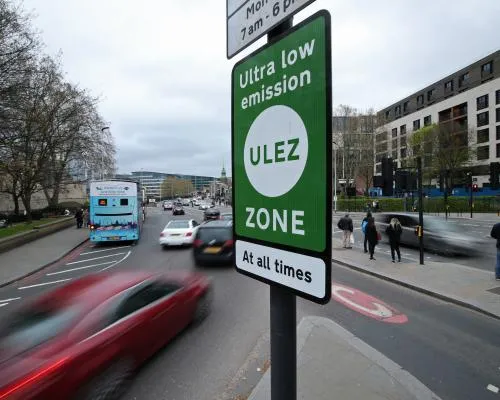 Deaths linked to London air pollution have fallen 40%, study estimates
However, Imperial College team also find that pollution has worse health impact than previously understood
-
 Weakening UK net zero policy would damage economy, chief climate adviser says
Climate Change Committee chair Nigel Topping says U-turns damage investor confidence and disrupt businesses


